
While I fully embrace the world of cloud architecture, a good chunk of my current workload is still good, “old-fashioned” on premises SQL Server. Building data projects in an ideal world means using the latest technologies to bring lovely, clean data to life in the cloud, specifically using Microsoft Fabric.
The reality is, working within customer requirements, budgets and existing technologies means this isn’t always the case. So what if there is a requirement for data to remain in an on-premises SQL Server for a project happening in Fabric?
Well, Microsoft have just announced the public preview of on-premises connectivity for Data pipelines in Microsoft Fabric! Let’s take a look at it in action.
The first thing you will need to do is update your on-premises data gateway, hopefully you can see the difference between the two images below.
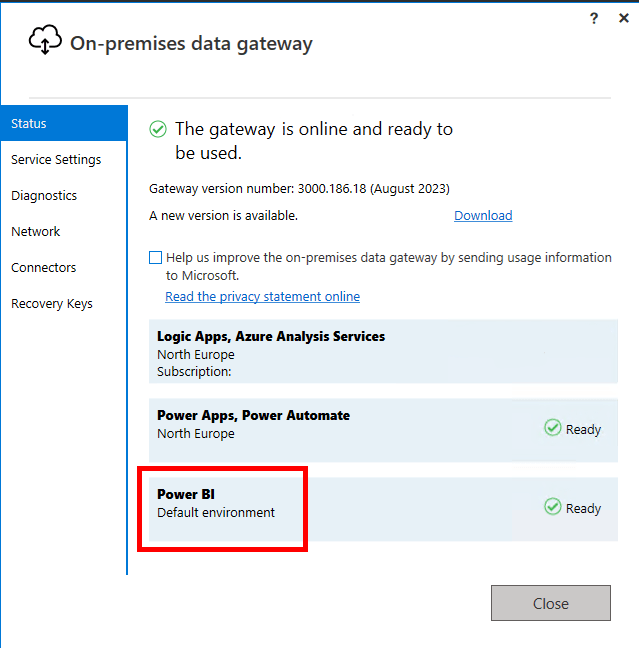
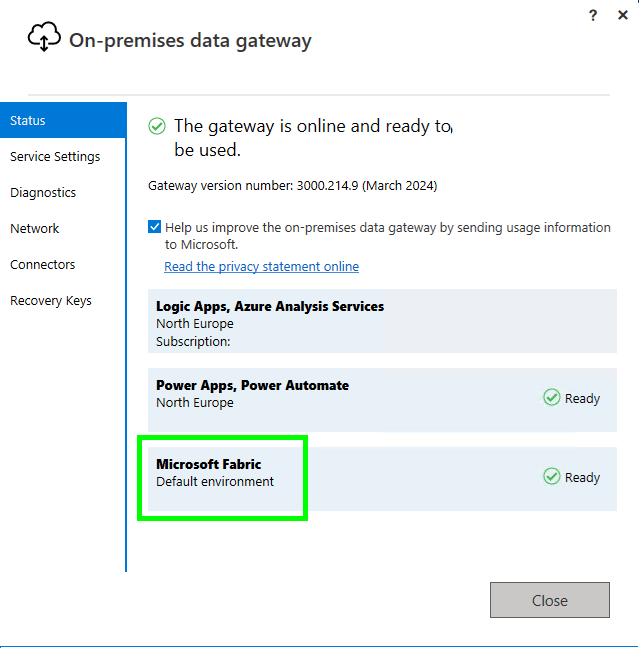
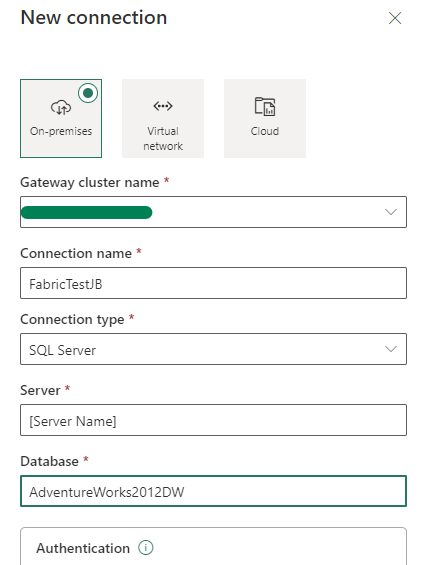
Now that has been updated, head to the Power BI / Fabric service, hit Settings and Manage Connections and Gateways and configure your new gateway connection.
Now lets head to our Fabric Workspace, create a new Data Pipeline and add a copy data task.
Now edit the Source tab, set the Data store type to External, set the Connection to the on-premises gateway you created in the previous step, set the Connection type to SQL Server and test the connection.
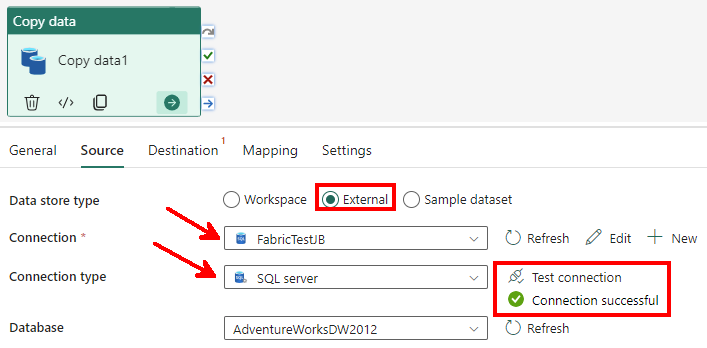
Success! Now you can pull data out of on-premises SQL Server connections to your heart’s content without upsetting the customer’s security teams. Everyone is happy!

 Luthier
Leave a comment